SILENTSTARS BY CAPUZ · RECORDED 9 OCT 2026
Find a project.
Show the whole path.
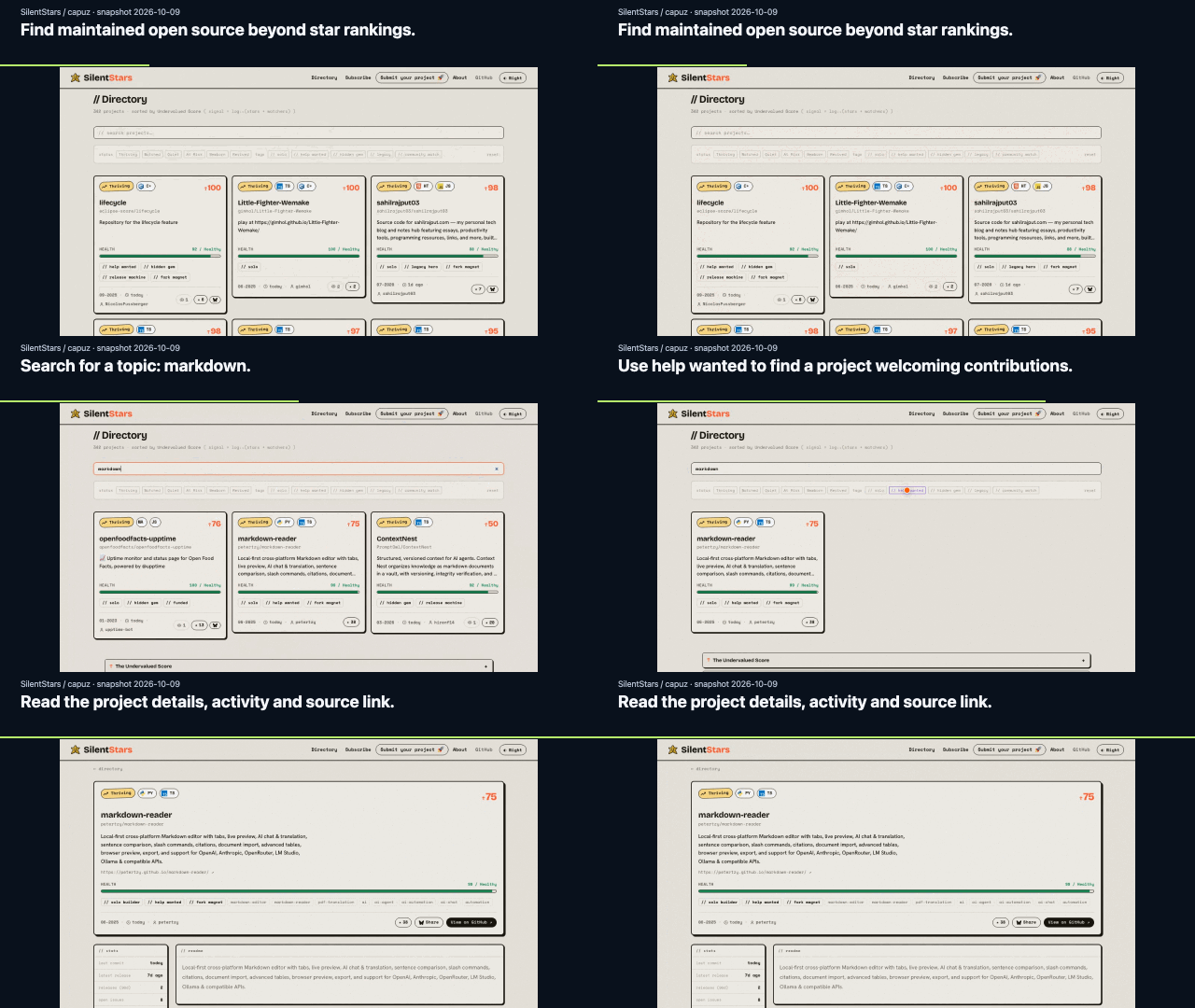
A 13-second walkthrough of SilentStars: search for Markdown tools, use the directory’s help-wanted filter, then inspect a project. Real UI, recorded from an unchanged local build.
01 · SearchType “markdown” into the directory.
02 · FilterSelect its “help wanted” tag.
03 · InspectOpen the project’s details and source link.
Reuse or edit this demo
Keep the finished video, or change the explanations without recording the app again. Open this demo in Browser Studio to load the raw recording and all four explanations together. Edit the text or timing and export. Processing stays in your browser. To work from downloaded files instead, choose the raw MP4 in Studio, then import the story JSON.
Put the GIF beside your README:
App: [SilentStars by capuz](https://github.com/capuz/silentstars)
Recording recipe: [aichance](https://aichance.github.io/business-ai-recipes/silentstars.html)
Replay the browser actions
Requirements: Node/npm, Python 3.11+, Chromium through Playwright, and FFmpeg on PATH. Tested on macOS with Node 22.16.0, shot-scraper 1.12 and Playwright 1.63.0. No app API key is needed for this saved-data build. External fonts and icons require network access.
In a separate terminal, build the exact SilentStars revision:
git clone https://github.com/capuz/silentstars.git silentstars-demo
cd silentstars-demo
git checkout fb6f50cd7bbc5aece9964b160f07530d9a931848
npm ci --ignore-scripts --no-audit --no-fund
npm run build
npm run preview -- --host 127.0.0.1 --port 4381
In a checkout of this recipe repository:
python3 -m venv .demo-forge-venv
.demo-forge-venv/bin/python -m pip install shot-scraper==1.12 playwright==1.63.0
.demo-forge-venv/bin/python -m playwright install chromium
.demo-forge-venv/bin/shot-scraper video docs/silentstars-storyboard.yml \
  -o silentstars-raw.webm --mp4
Then import the resulting MP4 and story JSON into Studio. Captions are authored and timed manually; review them after each recording because app timing can change. The YAML storyboard selects one known project, not an arbitrary search result.
Why this uses shot-scraper plus Studio
We ran the same directory → search → filter → details path with two recorders before selecting the footage.
| Route | Observed in this case | Decision |
|---|
| Demo Forge CLI | Completed the seven UI steps and final detail check. Its localhost-only policy blocked external fonts/icons. Native action hints exposed selector text in the video. | Keep as a compatibility check; not the delivery footage. |
| shot-scraper + Browser Studio | Recorded the app with its external assets. Studio imported the MP4 and exported the four authored explanations as MP4 and GIF. | Used for the downloads above. |
The waits, overlays and network policies differ, so these runs establish no speed, cost or setup-time advantage. Choosing an existing recorder was the better fit here. For the CLI compatibility check, the operation JSON is included; use the same localhost directory URL with forge.py --narrate.